Note
Go to the end to download the full example code. or to run this example in your browser via Binder
Basic Binary Operations for FEC
This example demonstrates the fundamental binary operations used in forward error correction (FEC) coding using Kaira’s utility functions. We’ll explore Hamming distances, Hamming weights, and binary-integer conversions.
import matplotlib.pyplot as plt
import torch

from kaira.models.fec.utils import (
    from_binary_tensor,
    hamming_distance,
    hamming_weight,
    to_binary_tensor,
)
Setting up
<torch._C.Generator object at 0x7f19765aa410>
Hamming Distance
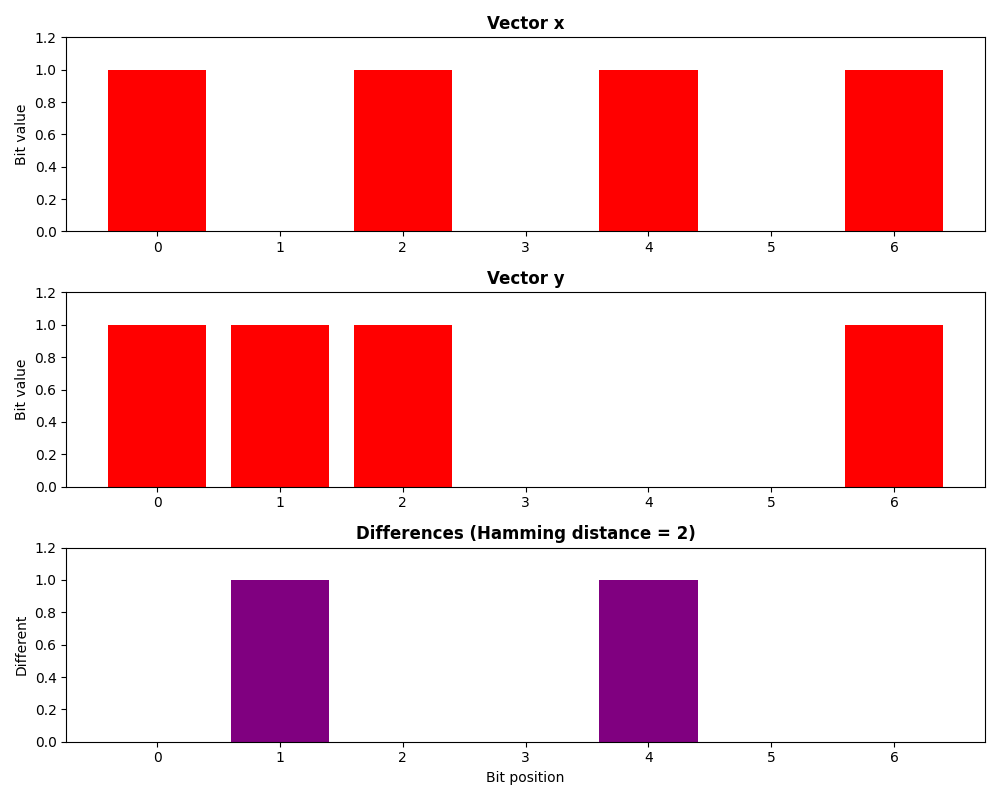
The Hamming distance counts the number of differing positions between two vectors.
# Create binary vectors
x = torch.tensor([1, 0, 1, 0, 1, 0, 1])
y = torch.tensor([1, 1, 1, 0, 0, 0, 1])

# Calculate Hamming distance using Kaira's utility
dist = hamming_distance(x, y)

print(f"Vector x: {x.tolist()}")
print(f"Vector y: {y.tolist()}")
print(f"Hamming distance: {dist}")
Vector x: [1, 0, 1, 0, 1, 0, 1]
Vector y: [1, 1, 1, 0, 0, 0, 1]
Hamming distance: 2
Visualizing Hamming Distance
fig, (ax1, ax2, ax3) = plt.subplots(3, 1, figsize=(10, 8))

# Plot first vector
ax1.bar(range(len(x)), x.numpy(), color=["red" if bit == 1 else "blue" for bit in x])
ax1.set_title("Vector x", fontweight="bold")
ax1.set_ylabel("Bit value")
ax1.set_ylim(0, 1.2)

# Plot second vector
ax2.bar(range(len(y)), y.numpy(), color=["red" if bit == 1 else "blue" for bit in y])
ax2.set_title("Vector y", fontweight="bold")
ax2.set_ylabel("Bit value")
ax2.set_ylim(0, 1.2)

# Plot differences
diff = (x != y).int().numpy()
ax3.bar(range(len(diff)), diff, color=["purple" if d == 1 else "gray" for d in diff])
ax3.set_title(f"Differences (Hamming distance = {dist})", fontweight="bold")
ax3.set_xlabel("Bit position")
ax3.set_ylabel("Different")
ax3.set_ylim(0, 1.2)

plt.tight_layout()
plt.show()
Hamming Weight
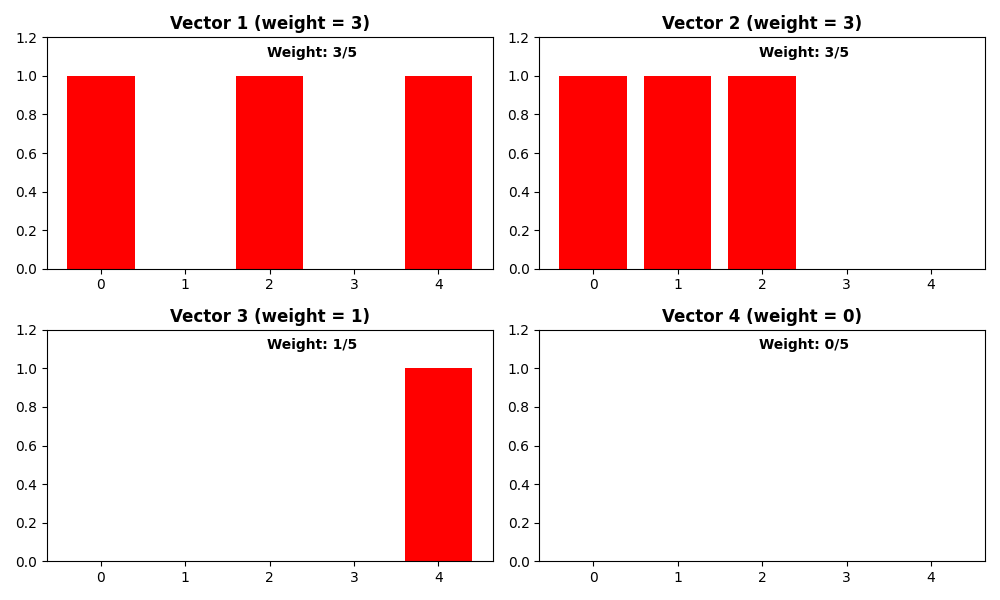
The Hamming weight counts the number of 1s in a binary vector.
# Create test vectors
vectors = [
    torch.tensor([1, 0, 1, 0, 1]),  # weight = 3
    torch.tensor([1, 1, 1, 0, 0]),  # weight = 3
    torch.tensor([0, 0, 0, 0, 1]),  # weight = 1
    torch.tensor([0, 0, 0, 0, 0]),  # weight = 0
]

print("\nHamming weights:")
for i, vec in enumerate(vectors):
    weight = hamming_weight(vec)
    print(f"Vector {i + 1}: {vec.tolist()} -> weight = {weight}")
Hamming weights:
Vector 1: [1, 0, 1, 0, 1] -> weight = 3
Vector 2: [1, 1, 1, 0, 0] -> weight = 3
Vector 3: [0, 0, 0, 0, 1] -> weight = 1
Vector 4: [0, 0, 0, 0, 0] -> weight = 0
Visualizing Hamming Weights
fig, axes = plt.subplots(2, 2, figsize=(10, 6))
axes = axes.flatten()

for i, (vec, ax) in enumerate(zip(vectors, axes)):
    weight = hamming_weight(vec)

    # Plot vector
    bars = ax.bar(range(len(vec)), vec.numpy(), color=["red" if bit == 1 else "blue" for bit in vec])
    ax.set_title(f"Vector {i + 1} (weight = {weight})", fontweight="bold")
    ax.set_ylim(0, 1.2)

    # Add weight indicator
    ax.text(len(vec) / 2, 1.1, f"Weight: {weight}/{len(vec)}", ha="center", fontweight="bold")

plt.tight_layout()
plt.show()
Binary-Integer Conversions
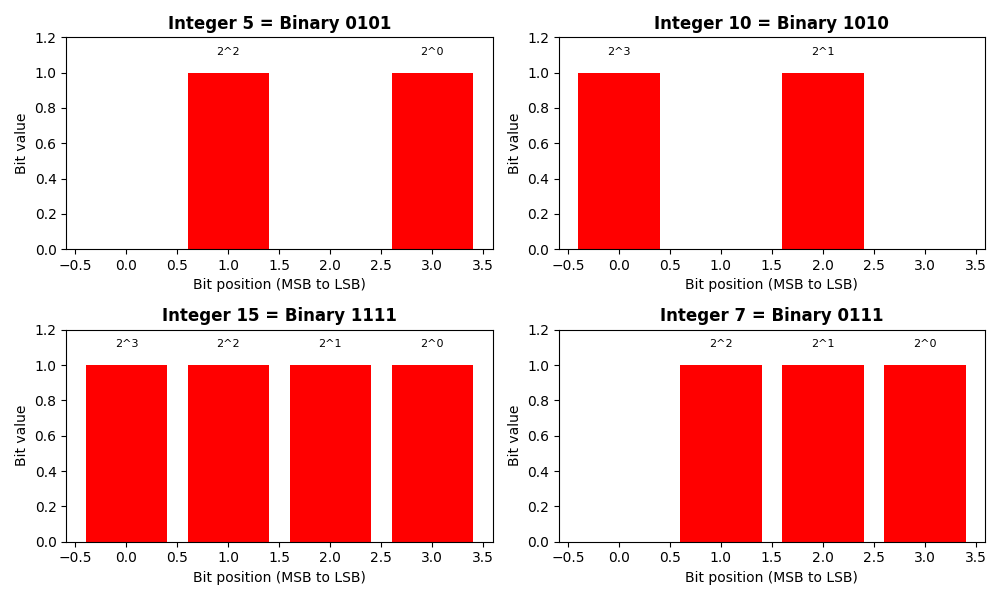
Convert between binary tensors and integer representations.
# Convert integers to binary tensors
integers = [5, 10, 15, 7]
binary_length = 4

print("\nBinary-Integer conversions:")
for num in integers:
    # Convert to binary tensor
    binary = to_binary_tensor(num, binary_length)

    # Convert back to integer
    recovered = from_binary_tensor(binary)

    print(f"Integer: {num} -> Binary: {binary.tolist()} -> Recovered: {recovered}")
Binary-Integer conversions:
Integer: 5 -> Binary: [0, 1, 0, 1] -> Recovered: 5
Integer: 10 -> Binary: [1, 0, 1, 0] -> Recovered: 10
Integer: 15 -> Binary: [1, 1, 1, 1] -> Recovered: 15
Integer: 7 -> Binary: [0, 1, 1, 1] -> Recovered: 7
Visualizing Binary Representations
fig, axes = plt.subplots(2, 2, figsize=(10, 6))
axes = axes.flatten()

for i, (num, ax) in enumerate(zip(integers, axes)):
    binary = to_binary_tensor(num, binary_length)

    # Plot binary representation
    ax.bar(range(binary_length), binary.numpy(), color=["red" if bit == 1 else "blue" for bit in binary])
    ax.set_title("Integer {} = Binary {}".format(num, "".join(map(str, binary.tolist()))), fontweight="bold")
    ax.set_xlabel("Bit position (MSB to LSB)")
    ax.set_ylabel("Bit value")
    ax.set_ylim(0, 1.2)

    # Add positional values
    for j, bit in enumerate(binary):
        if bit == 1:
            power = binary_length - j - 1
            ax.text(j, bit + 0.1, f"2^{power}", ha="center", fontsize=8)

plt.tight_layout()
plt.show()
Practical Example: Error Detection
Demonstrate how these operations are used in error correction.
# Simulate a codeword and received word with errors
codeword = torch.tensor([1, 0, 1, 1, 0, 1, 0])
received = torch.tensor([1, 1, 1, 1, 0, 0, 0])  # 2 errors

# Calculate error metrics
num_errors = hamming_distance(codeword, received)
codeword_weight = hamming_weight(codeword)
error_weight = hamming_weight(received ^ codeword)

print("\nError detection example:")
print(f"Codeword:  {codeword.tolist()}")
print(f"Received:  {received.tolist()}")
print(f"Errors detected: {num_errors}")
print(f"Codeword weight: {codeword_weight}")
print(f"Error pattern weight: {error_weight}")
Error detection example:
Codeword:  [1, 0, 1, 1, 0, 1, 0]
Received:  [1, 1, 1, 1, 0, 0, 0]
Errors detected: 2
Codeword weight: 4
Error pattern weight: 2
Summary
This example demonstrated essential Kaira FEC utility functions: - hamming_distance(): Count bit differences between vectors - hamming_weight(): Count number of 1s in a vector - to_binary_tensor(): Convert integers to binary representation - from_binary_tensor(): Convert binary tensors back to integers
These utilities are fundamental building blocks for implementing error correction algorithms in communication systems.
